
You must log in or register to comment.
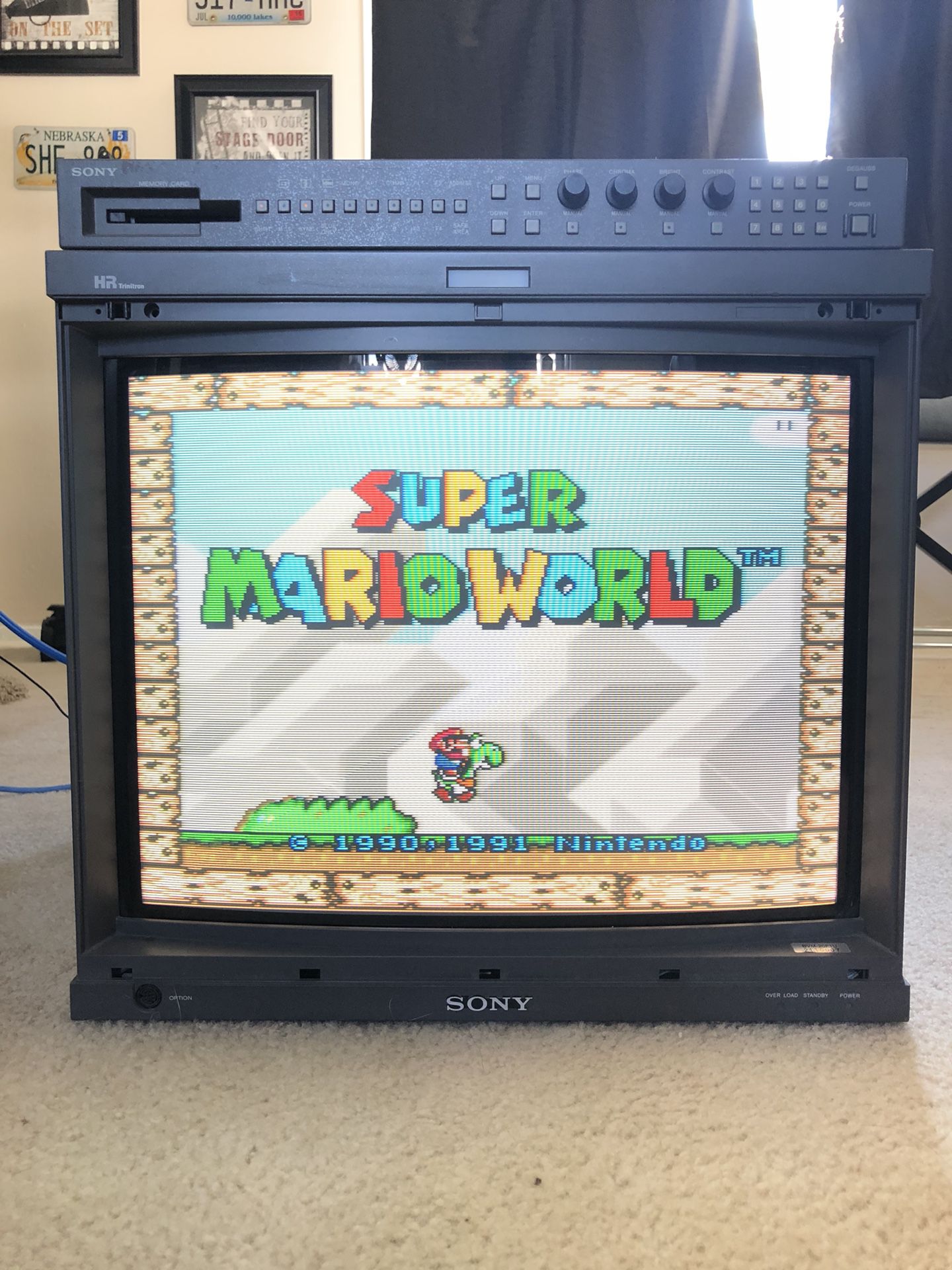
To be fair, that probably is a REALLY nice broadcast-grade CRT like a SONY BVM-20F1U or something… which most people did NOT have access to back in the day.
Hell, my wealthy buddy’s family had a “flat screen” (meaning the CRT didn’t have a curved face) SONY WEGA CRT in the mid-90s and I know it had S-Video, but I’m pretty sure it didn’t even have a component connection, let alone the quality aperture grille/shadow masking, or the contrast ratio that the BVMs did (because those things were at local TV news stations running 24/7).
In reality, there’s a bunch of differences with connection types providing various levels of quality and CRT display technology , but the accessibility that new TVs give us all to astoundingly good picture quality at a pretty reasonable price means we are living in a golden era for retro gaming if you know what you’re doing.
I’ll take my gigantic 4K OLED hooked up to a MiSTer with some great shaders rendering the sub-pixel effects a real CRT has to emulate this visual effect with run-ahead to minimize the latency + input lag over anything except a BVM-20F1U in near mint condition almost any other day of the week.
TL;DR - you can emulate those sub-pixel CRT era display technology display artifacts with a decent shader on a good 4K OLED, and probably spend less than you’d need to get almost the exact same visual effect with pretty much none of the pitfalls you get with old CRTs like massive electricity use, having to carry a 150-250lb CRT, hope it has no burn-in, decent remaining bulb life, etc.
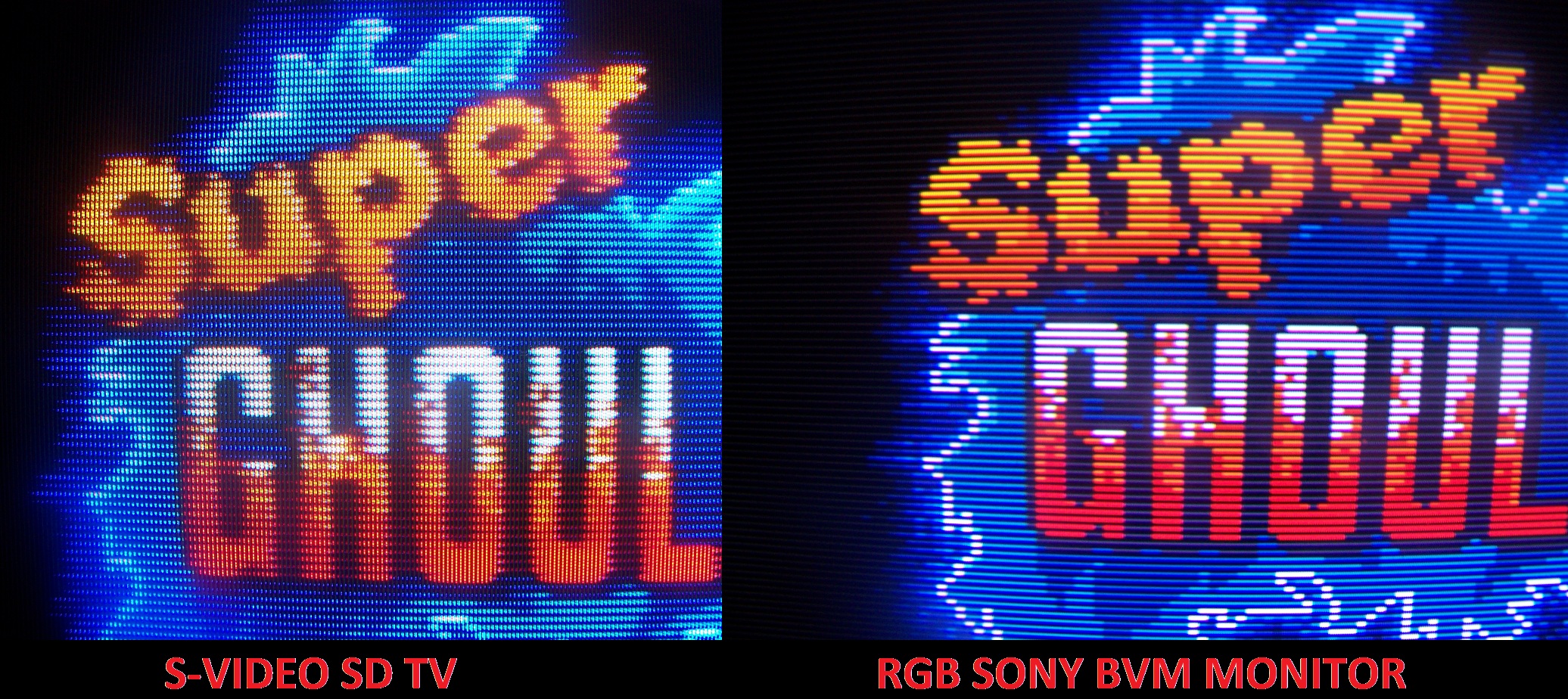
Nah, those phosphor strips of that screenshot on the left are plenty coarse to be achievable with a consumer grade CRT. Throw in the fact that European sets pretty much all had RGB and it’s pretty realistic. Although most of us only heard about RGB cables with the advent of chipped PS1s and pirated NTSC discs (they oftentimes only displayed in black and white and RGB cables were the widely known fix for that).
EDIT oh by the way, the community CRTgaming also made it over here to Lemmy :-) I’ll have to post some content there…
@Elektrotechnik Here in the EU/Germany we was used to SCART connection, even on the SNES (and upwards). MULTI-OUT/SCART supported composite, Svideo and RGB. The image I had was cleaner than what I emulate nowadays!
YES! Please join us! I don’t want our community to be full of elitists, play how you enjoy playing! But I happen to really love the look and nostalgia of playing on CRTs. Everyone is welcome to come and post about CRTs, or even CRT filters and masks in emulators to get that authentic experience!
I mod the one here on Lemmy.world - [email protected]
My man. Now THIS person knows about CRT gaming. I’m merely an old man with limited time to research all this. Anyone talking about phosphor strips and halation and magnetic interference /gaussing probably knows their 💩.
I just know I like wearing the nostalgia goggles that add those artifacts my old eyes still hazily remember and weirdly prefer.
If you have the space, I highly recommend just getting a mid-sized CRT for the lulz :D It’s such a fun hobby. I went down the rabbit hole a little too hard in 2016 and have to downsize now. But I’d still get one to play around with while they’re still available for a couple of bucks (I hear it has gotten harder in the US already).
@JDPoZ Most people not from that time think that CRT look is just bunch of clean black lines overlapping the image (keyword scanlines) without anything else to consider, and call it a day.
Man I’m such an old fart I prefer my emulated games appear using different era CRT shaders to accurately reflect the sort of TV connection I had access to when playing. Like emulating shittier RF for older NES games, S-Video for SNES - N64, and then component for PS1 - PS2 era.
Like… I enjoy playing Mike Tyson’s Punch-Out using a shader that makes it look like a shitty RF connection with inaccurate desaturated colors bleeding, interlace jitter, etc. I’m actually kinda wistful when I can’t see the preview channel 3 TV guide blending through the crappy connection. I almost want to see if someone has made a shader that could render in a YouTube stream of retro late 80s to early 90s TV at like 5% opacity to get the same effect I saw as a kid sitting 2 ft away from my old 16” Magnavox.
@JDPoZ (I’m not sure why your reply does not appear in my view, but only if I look at your profile… Guess Kbin does not work correct at the moment?)
Me too! But where I live we did not use RF connection for NES, but had composite through RCA connection. I have different setups for the kind of system I am emulating. For NES and that time period my Shader choice is “composite” cable variant, SNES era “svideo” and “rgb” (or for you known as “component”) connection. There are many more configurations for other systems and handhelds as well. Handhelds in example aren’t CRTs, but LCD displays.
deleted by creator
Play how you enjoy playing! I will say that this looks like a consumer-grade pitch, and that there is some value in consumer-grade sets today, even with something like composite, since the mixed colors were used on many occasions, Sonic’s waterfalls are the classic example.
Personally I enjoy playing on CRTs when I can, but I also love filters on modern displays! I think the biggest gap right now isn’t playing things like SNES on a 4K OLED with filters, but things like GameCube that we can get on those displays with GCVideo adapters like the Carby and EON Mk2, but then they are pretty limited in options for scaling and filters. RetroTink 5x Pro of course is an option, but they add up! It’s so easy to get a cheap or free CRT to enjoy lag free without spending hundreds on scalers and hardware mods.
What does this MiSTer thingy do?
Oh the MiSTer is awesome! It’s like an emulation device, but instead of emulating with software it uses a thing called an FPGA (Field Programmable Gate Array). the short explanation of what that means is that the chip reconfigures itself physically to mimic the hardware of old systems, which results in super accurate, lag-free emulation. It also allows for both digital and analogue output, loads from mass storage like an SD card or USB hard drive, and works with the oldest systems up to things like the PS1.

It just looks soooo much better.
@onichama Good game artists of that time period knew the limitation of their current technology and created the graphics with it in mind. In some games more apparent than on others. The linked image (often cited) is a good example of a game artist being aware.
Symphony of the Night is one of the games that took the most advantage from CRTs. In them it creates an illusion of additional details. Without them it looks grainy and the gradients don’t come together right.
which one, left or right? I dont game
The one on the left is an emulated version, and the one on the right is a photo of a CRT with a composite signal (the yellow cable that was pair with white and red audio) most common back in the 90’s. The image illustrates how the graphic designers for this game knew they were going to be displayed on a CRT that would fuzz the image and so they deliberately made Dracula’s eyes that color of red with that placement because they knew it’d get mixed to give it a more ethereal effect to look like he’s got glowing red eyes. The ruffles in his shirt are also a great example of how the CRT enhanced the look.
Yeah, there’s a crazy amount of tricks they employed to bring the sprites to life in a way that just isn’t possible on modern displays. The sharp pixel look is actually an unfortunate byproduct of the transition to newer tech.
Abusing and exploiting slotmasks and such were what made games designed for CRTs look so much better on them. Unfortunately, it doesn’t work backwards, because newer games designed for LCDs and LEDs don’t look any better or worse on CRTs, outside of overscan and resolution issues.
Shredder’s Revenge has entered the chat.
For real though many modern pixel art titles use these same color techniques, and while they do not depend on crt blending them at all, they can often see slight visual benefits from the pixel blending that is possible with a modern shader adding that effect.
Fight n’ Rage has a built in set of shaders that do just this and it is beautiful. It is on by default, but still optional.
Running shredders revenge with a very mild crt effect also looks really good on a lot of the blended colors.
Sonic Mania has a very good built-in CRT shader. It’s not a perfect recreation, but it think it looks excellent! And I also think it looks really great on a CRT using a downscaler.
In Linux you can try gamescope with fsr upscaling. It’s a must-have for playing old games.
deleted by creator
@LastoftheDinosaurs gamescope was created by a Valve employee for the Steam Deck and made available for Linux in general! -> https://github.com/ValveSoftware/gamescope
happy to help! gamescope is pretty amazing
This might be a dumb question, but would you know if you can put that on a steam deck?
yes, I think it was even originally intended for the deck.
Thank you. I’m supposed to be sleeping now, but I don’t think I will anymore.
The last time I set up an emulator I looked into this and it really improved things!
@LastoftheDinosaurs There are filters for emulators called “Shaders” which can make games look close to a CRT look and feel. I use RetroArch to emulate games, which has first class support for such Shaders for use with any supported emulator core. If you want, have a look at what is possible with an article I wrote a while back, which has sliders to see a before and after effect: https://thingsiplay.game.blog/2022/03/08/crt-shader-showcase-for-retroarch/
Here a screenshot without and with my favorite Shader called “Royale” and a variant of the Shader that simulates even more characteristics, “Royale NTSC SVideo” :
Very interesting read. Thank you for sharing.
It’s impressive how much of a difference those CRT shaders make, and it explains why I often remember games looking better than they do when I try to replay them now.
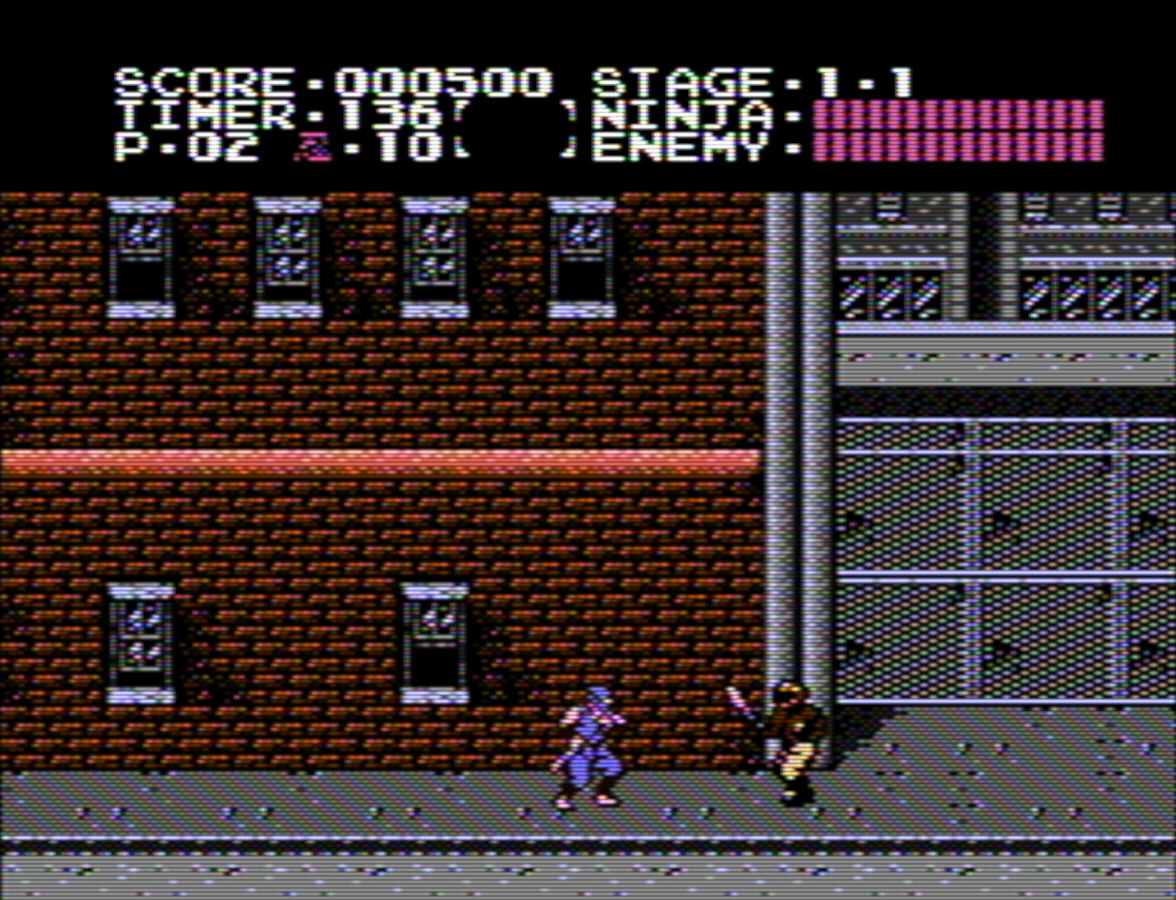
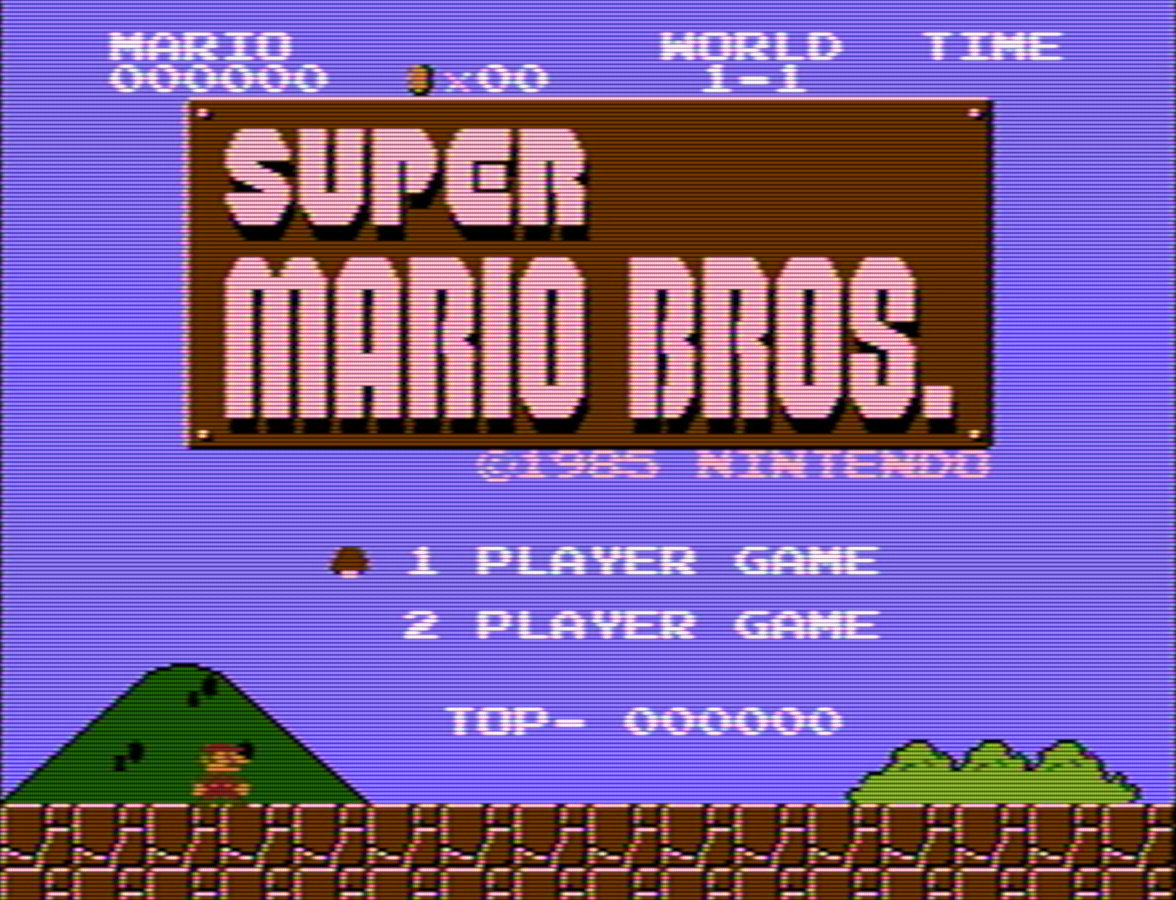
The raw pallette Nintendo video with NTSC filters looks amazing in RetroArch on a modern screen. It looks like how I remember. I’ll see if I can find a screenshot of mine later.
Eh, I’ll just show some from search results. Notice how the color bleeds between pixels, and edges have color artifacts.
Also, check out this amazing Game Boy filter!
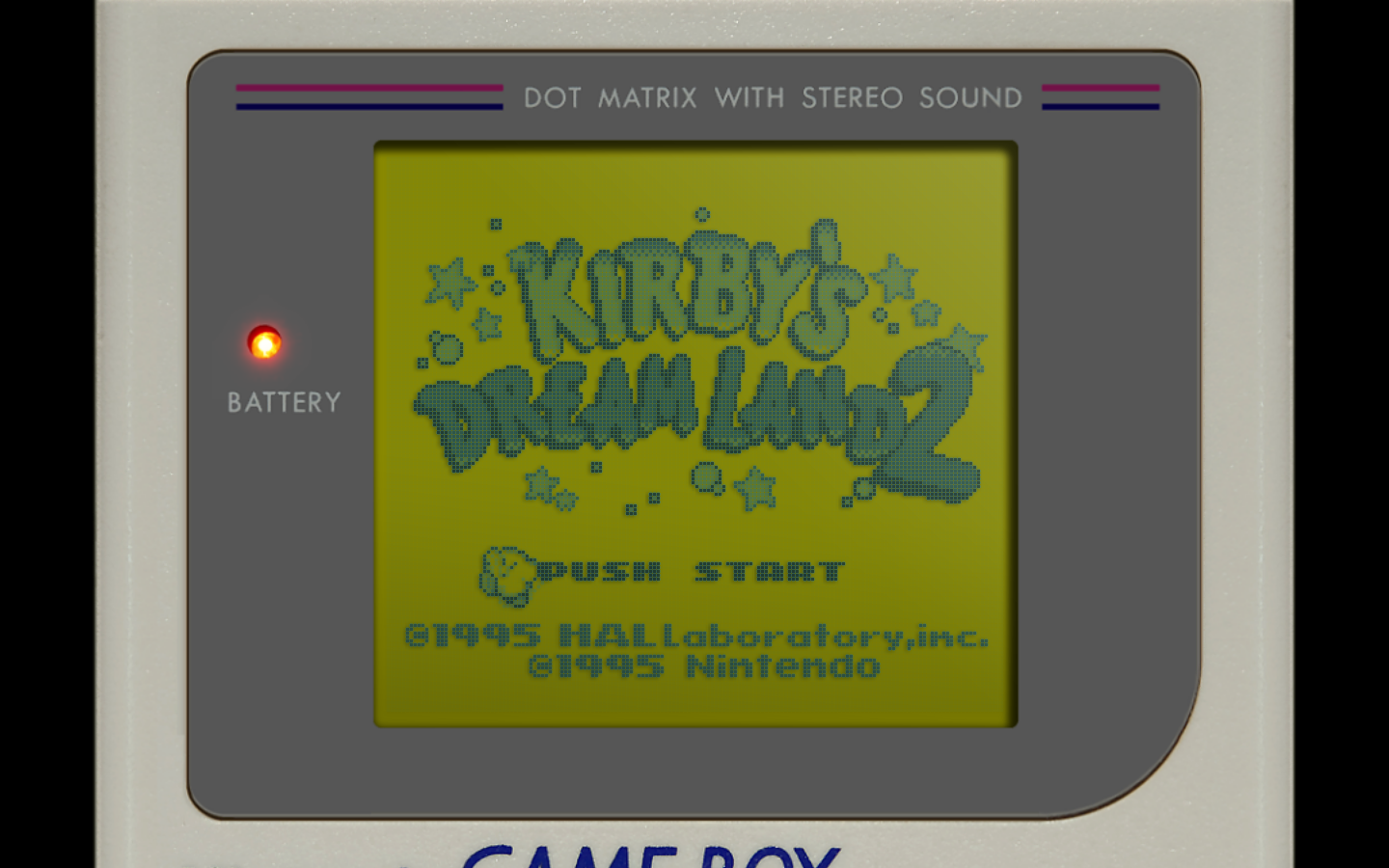
Ah yes, just how I remember the Gameboy, struggling to see the screen.
But seriously, the top ones look great!
Ah yes, just how I remember the Gameboy, struggling to see the screen.
But seriously, the top ones look great!
I have mixed feelings about this. If you zoom in, it looks especially bad. If you are talking about consoles that had like 320x240 pixel resolutions, it is especially bad, but a high resolution LCD display can use filters/shaders (whatever you want to call them) to mitigate the blockiness to a large degree. Early LCDs were simply no match for a good CRT. I would argue with people all the time and they simply couldn’t believe it and thought I was crazy. But now that we have LCDs with more than 4K resolution it is game over for CRTs and my back hurts just thinking about moving another 100 lb vacuum tube monitor.
I disagree but only because I’ve seen it showed to me by my friends who are super into this. When games were made for TV and consoles especially in the late 80’s and 90’s they did things that took advantage of the analog nature Cathode Tubes used to display the image. Not every game took advantage of these techniques but the ones that do are nothing short of amazing when you think about it. They make filters these days that emulate some of these effects but analog is still analog and isn’t something a digital display can always emulate regardless of resolution. I would say for most people it just doesn’t matter that much but if your a retro gamer you want the OG experience. It’s difficult to emulate these analog techniques because they are specific to an era and the techniques can sometimes be unique or trial and error by the devs.
There are other things as well for example light guns which just straight do not work on a newer display. Games that had live action recorded video look hilarious because the same techniques that were used to make things look better were applied in make up form to the actors.
What is a bit sad is the specific techniques these developers used aren’t being well recorded and documented which I think would be very useful for future emulation and filtering.
analog is still analog and isn’t something a digital display can always emulate regardless of resolution
Yes it can.
Somewhat similar to your example of designing for analog TVs, certain games for the original Gameboy took advantage of the terrible ghosting for transparency effects. Like ZAS. On an IPS screen mod or an emulator, these just look flickery. But they make a neat effect on an original screen. Haven’t seen any filters fix that yet.
Yeah, of course games made back then are going to look ridiculous scaled up to 1080p or higher. The SNES had a resolution of 256×224, and the graphics were designed with the drawbacks of 50/60hz interlaced displays in mind. Nowadays, we have progressive scan consumer-grade TVs at 4K resolutions and refresh rates of 120hz. It doesn’t make sense to scale the graphics up directly.
It’s also about resolution scaling. When 240p or 480p was common, most people only had 15-25" screens so they looked accurate. Nowadays 40-65" is common and 4K is the common resolution, or 1080p for smaller/cheaper TVs.
1080p is 2.25 times larger than 480p, 4K is 8 times larger than 480p (my math may be off…). Take any 480p picture and then zoom in 800% and it will look like shit, putting a 480p picture on a screen with a native 4K resolution will do the same thing. The screen is simply too big for it to look like it would on a common CRT unless you’re like 25 feet away from the screen.
This is reminiscent of watching TOS Star Trek restored for modern HD TVs. You can see all the make-up really clearly because they had to make everyone pop for old CRT screens. They look awful now.
Oh boy, Cpt. Kirk’s eye shadow? Just have to tell ourselves that male beauty standards changed over the centuries lol
This might be a hot take but I actually prefer the version on the right.
It’s a hot take, but I agree with you.
Actually, I try to find a noise overlay that emotionally simulates the nostalgia effect, minimizes the looks-like-shit effect, but then also makes sure to impart the minimum amount of dither needed to technically have it look it’s best.
Less is more, and even back in the day, a lot of these games on crappy CRTs looked like absolute trash. A lot of them were bright, colorful, and actually good, but a lot of them just looked like smeary poopoo.
If I can just squint my eyes and it looks better than your filter, you’re doing it wrong. I think it takes a high nit display, vsync, with the right array of colors to hit the crt emulation just right.
Just go get an old tv at this point, damn. You’ll get the buttons, the sound of it turning on, the high pitched whistle of it just being on, the smell of the burning dust, the ozone or whatever smell too, the brightness, the curve, the colors, the emotional risk of hitting the wrong channel and blasting yourself with full volume white noise and having to panic look for the volume buttons or the remote… You can even use the in-tv speakers to output sound! Tv speakers were actually decent before flat screens.
Am I selling us all on this idea, yet? ;P
Agreed. Blowing up the image to a size that you’d never see in actual gameplay makes it look worse than it actually is.
I agree if we are talking about being this zoomed in. However, at standard viewing distances the difference becomes negligible. As well as on small retro devices with 3-4 inch screens.
Consoles are debatable, players were probably on a couch at the end of a wire while their parents shouted at them not to sit too close to the TV, but arcade games were actually made for people to play and experience while standing right in front of the screen. Standard viewing distance was short enough for this to matter, and arcade monitors were generally tuned for up-close viewing more than household TVs.
It’s not only 2D games. Super Mario 64 looks terrible on a modern panel imo, and it still looks great on a CRT, as if the CRT has some kind of texture filtering lol. Not only the jagged edges are gone, but the textures look smoother too. You don’t want to see low res textures in perfect contrast, brightness and sharpness lol.
Most n64 emulators make the games run at a higher res by default, which makes all the low poly models and low res textures easier to see. If you run them at their original target resolution, they look MUCH better.
They didn’t all benefit from this and many CRTs looked like shit regardless (I recall having multiple CRTs where certain colors looked off or bled too much). Specifically, the numbers on most games (Specifically Zelda:A Link to the Past) had a tendency to bleed if the device brightness was set to anything near visible in a room during the day.
There was a device to let you play gameboy games (native LCD) on like a super nintendo or something, and they actually looked better there because of the native filtering. I’d argue the filters you can apply to gameboy games look even better now, even on LCDs.
Some games used that bleeding effect to create special effects lol. I forgot which game, but one game has a character having glowing red eyes because of the bleeding of the red pixel. On a LCD, it looks like a red square lol.
That one is Symphony of the Night, one of the most well known examples of the effect in use.
My take is this is because they were made with dithering in mind. Modern pixel art games like Iconoclasts, Eastward, Owlboy, Hyper Light Drifter, Moonlighter look pretty without dithering.
Yeah, there were pretty much two types of pixel art in games. Those made for TV-based games up to PS1 which are expected to be seen through CRT blur so they rely more on complex gradients and precise use of contrast. And those made for LCD portables, which were always expected to be sharp and clear and tend to lean more into a blocky style. Modern indie games are largely an evolution of the latter.
Better is subjective
A really great hack for retro gamers who dont want to have a CRT tv hanging around the house is buy a cheap 1080p projector and project it onto an unprepped painted wall. The slight blur and bleed really smooths everything out.
I bought all those rerelease retro consoles and Metal Slug on a 3 meter screen is pretty badass.
I’m surprised no one has mentioned a specific filter or trick for just emulating this on modern screens. Surely one exists?
Edit: Literally the comment right below mine: gamescope